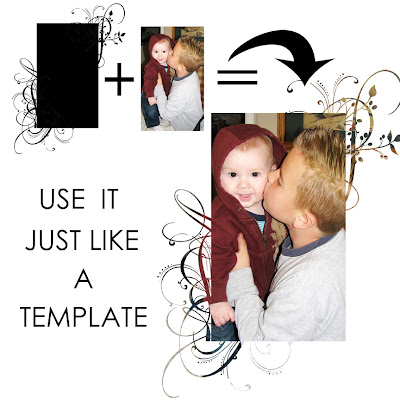
(1) You would import a photo (or paper of your choice) and place it ABOVE the mask layer.
(2) With the photo as your active layer - In PSE hit Ctrl+G (Ctrl+Alt+G in PSCS2) and this will clip your photo (or paper) to the mask
(3) Using the move tool, you can manipulate the photo until you are happy with the end result
here's a little visual for ya! (this is a photo of my #2 and #4 Ds - aren't they cute?!)
I hope this helps clear things up for some of you :)
great little tutorial!! and LOVE that photo - they aare SO CUTE!
ReplyDeleteYEE HAW!! Thanks so much, now I can play with those cool masks I just picked up from your store! Thanks a buncheroo :)
ReplyDeleteI LOVE your stuff! I'm a swirly kinda of gal :)
ReplyDeleteThanks for the tut!
Kim~
Hi I just wondered how I would go about sending you a layout using your products? You can email me on lukasmummy2@hotmail.co.uk or leave a comment on my blog if that's easier - http://www.lukasmummy.blogspot.com
ReplyDeleteHugs Crystal xx
Thanks Shandy! NOW I get it!! ;)
ReplyDelete